How to make sleep story videos
To make a sleep story video, write a calm story with low stakes and no cliffhangers, have it read slowly in a soft, even voice, and set it over dim pictures that change every 20 to 40 seconds with slow fades and quiet music. Most sleep stories on YouTube run from 30 minutes to several hours and end by fading out.
The listener is trying to stop paying attention, so almost every choice runs the other way from a normal YouTube video. Below are the numbers to aim for (reading speed, word counts, how long to hold each picture), a script structure, and a walkthrough that works with any tools.
Updated .
What makes a sleep story work
A good sleep story is interesting enough to stop the listener's own thoughts from wandering, and dull enough that they stop following it after a few minutes.
Pacing
Sleep narration is read noticeably slower than a documentary, often around 100 to 120 words a minute against the usual 140 to 160. Leave pauses after paragraphs. Long sentences with plenty of description are fine here, because nobody needs to catch every word.
Voice
A low, steady voice with very little emphasis. Avoid one that sounds like it's selling something or building suspense. Your own recording and an AI voice both work. Either way, keep the same voice on every video, because regular listeners come to fall asleep to it.
Length
Story-style videos usually run 30 to 60 minutes. History-for-sleep videos often run 1 to 3 hours. The video should outlast the time it takes to fall asleep, with some margin, so it doesn't end abruptly and wake someone up.
Visuals
Many listeners have the screen face down or in another room, but the ones who watch need it dark. Use dim, warm, low-contrast pictures: night scenes, lamplight, candles, snow, quiet interiors. Avoid white backgrounds, bright skies and anything with a lot of fine detail that pulls the eye.
No sudden changes
Change the picture slowly, with long dissolves or fades through black. No hard cuts, no flashes, no camera shake. Watch the sound too: a loud breath, a door slam in a sound effect or a jump in music volume can wake someone who just dropped off.
Music and ambience
Soft piano, strings or a pad, kept well under the voice at a constant level. Rain, a fire or the sea can sit under the music. Choose tracks without strong beats or big swells, and use tracks licensed for monetized YouTube videos. YouTube's own Audio Library is free to use.
How to structure a sleep story script
Most sleep stories follow the same five-part shape.
- A short welcome. One or two minutes: what tonight's story is, and an invitation to get comfortable. Some channels add a short breathing cue. Ask for the like or subscribe here, quietly, if at all.
- A slow way in. Start somewhere specific and still: a harbor town at dusk, a monastery before the evening bell. Describe what can be seen, heard and smelled.
- A gentle middle. Small events with nothing at stake: a walk, a meal, a journey, someone at work. Lists and routines are useful because they are easy to drift away from.
- Chapters. On a long video, break the story into parts of 10 to 20 minutes, each one able to stand alone. Listeners who wake up can rejoin without feeling lost.
- A fade-out ending. The story winds down rather than resolving. The voice gets quieter, the music plays on for a minute or two, and the picture fades to black. No end screen asking for a subscribe in a bright voice.
History sleep stories
History for sleep is its own genre: hours on daily life in one place and time, such as a medieval village in winter or a night in ancient Rome. It works because the facts give the listener something real to hold on to, and daily routines are low stakes by nature. Pick one era and stay in it, skip battles and executions, and favor detail over plot: what people ate, what they wore, how the house was lit. The popular "boring history" format leans into this on purpose. Some channels write it in the second person ("you wake before dawn in a cold cottage"), which pulls the listener in without asking them to follow characters.
| Video length | Words at about 110 a minute | Chapters |
|---|---|---|
| 30 minutes | About 3,300 | 2 or 3 |
| 1 hour | About 6,600 | 4 to 6 |
| 3 hours | About 20,000 | 10 to 15 |
How sleep story channels are built
Sleep channels tend to look alike because the same listeners come back every night and want to know what they'll get.
- One voice and one look. The same narrator, the same kind of picture and the same thumbnail layout on every video, so a returning listener knows it in the feed.
- Clear titles. Titles name the subject and say it's for sleep, such as "A Winter Night in a Medieval Village | History Story for Sleep". People search for the purpose, so put "for sleep" in the title.
- Series and playlists. Group episodes by theme or era. A playlist of several hours keeps playing through the night.
- A steady schedule. Long videos take time, so one or two a week is common. Writing and checking the script takes most of it.
- Careful ad placement. A loud mid-roll ad that wakes people up is a complaint you'll see often in sleep video comments. Mid-rolls are available on videos of 8 minutes or more, and YouTube places them automatically unless you place them by hand or turn them off. Many sleep channels use few or none, or keep them to the first minutes.
Some channels also post compilations of earlier episodes. That's allowed, but a channel that is mostly compilations with nothing new can fall under YouTube's rules on repetitive content, which the faceless YouTube video guide covers.
Making a sleep story video, step by step
Pick a subject and a length
Choose something calm with plenty of detail: a place, a journey, a craft, a period of history. Decide the length first and work out the word count from the table above.
Write the script
Outline the chapters, then write each one as its own short piece. If an AI drafts it, read it all aloud. Cut anything tense, gory or surprising, and check every historical fact.
Record or generate the narration
Record in a quiet room close to the microphone, at a low volume, and leave room tone between paragraphs. With an AI voice, choose a calm one, slow it down, and listen to several minutes before committing to an hour. Either way, remove breaths and clicks that stand out.
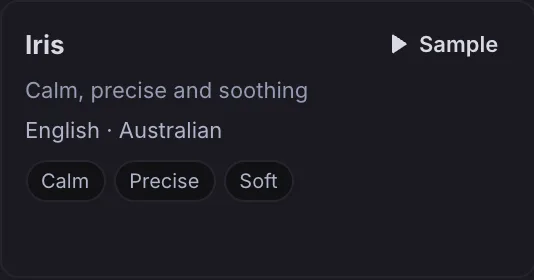
Each voice card in Animatic describes the delivery. For sleep, look for words like calm, soft and soothing, and play the free sample. 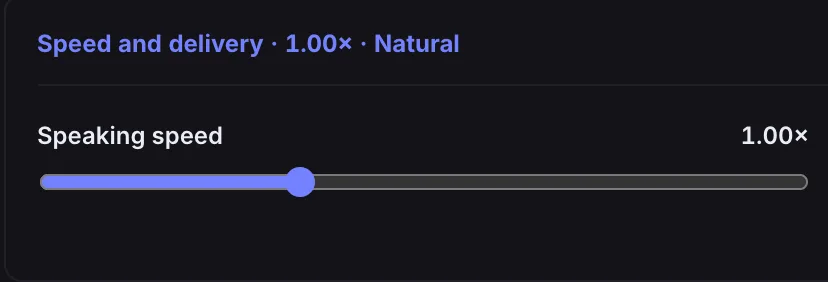
Speaking speed is a slider. Below 1.00× brings a normal voice closer to sleep pace. Choose one visual style
Soft watercolor suits invented stories; woodcut prints, old paintings or candlelit scenes suit history. Keep the same style through the whole video and, ideally, the whole channel.
Set slow pacing
Hold each picture for 20 to 40 seconds or longer, with a slow zoom or pan so it doesn't feel frozen. That's roughly 90 to 180 pictures for an hour, against 300 to 600 for a normal narrated video. Use slow dissolves between them, never hard cuts.
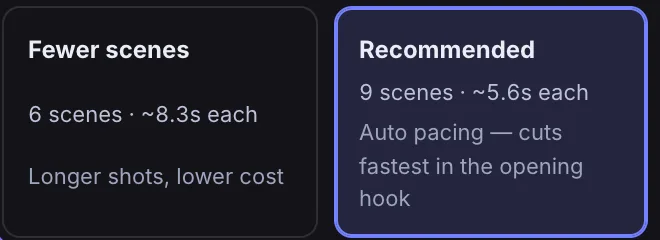
Animatic's pacing step. Fewer scenes means longer shots and a lower cost. For sleep, set a custom scene count so each picture holds for 20 seconds or more. Add music, ambience and chapter cards
Lay music under the whole thing at an even level. Add a chapter card between parts, with a pause in the narration. Leave out sound effects unless they're soft and constant, like rain.
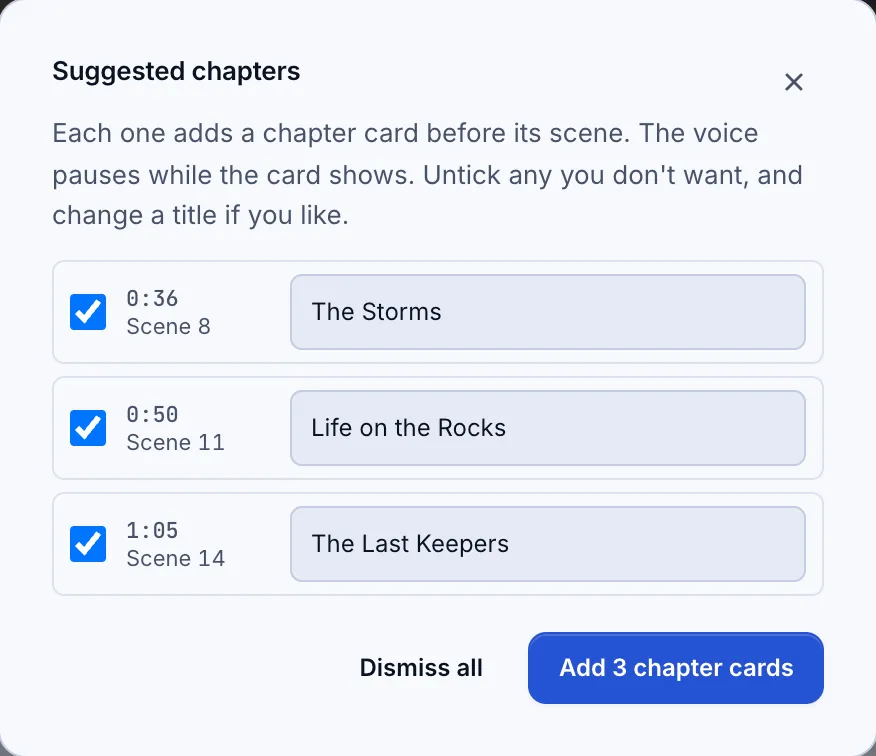
Animatic suggests where chapters fall and what to call them. The voice pauses while each card shows. Finish with a long fade
Let the music carry on for a minute or two after the last line, then fade both sound and picture to black. Watch the last ten minutes with the lights off to check for anything bright or loud.
Upload it
Export at 1080p, 16:9. Put chapter timestamps in the description: the first at 0:00, at least three in all, each chapter at least 10 seconds long. Write a title that says it's for sleep, and set mid-roll placement before you publish.
Making it in Animatic with Drift Off and Long Ago
Animatic makes narrated videos up to 3 hours long, with a picture for every scene, from a script, a recording or an idea. Two of its templates start a project with the settings above already made.
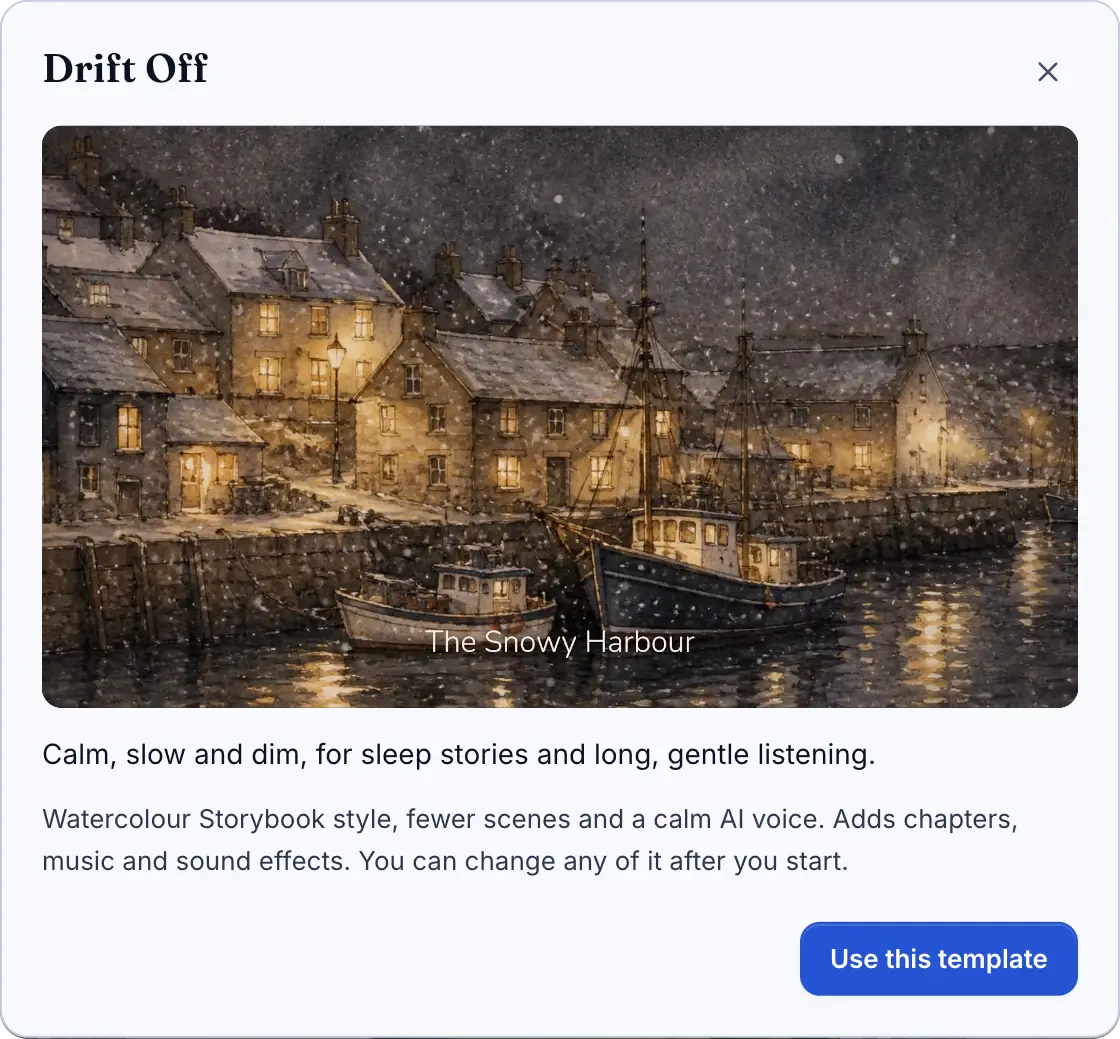
Drift Off is for invented, calm stories. Scenes are pictured in the Watercolour Storybook style, change less often than usual, and are read by a calm AI voice, with chapters, sound effects and (on paid plans) music turned on.
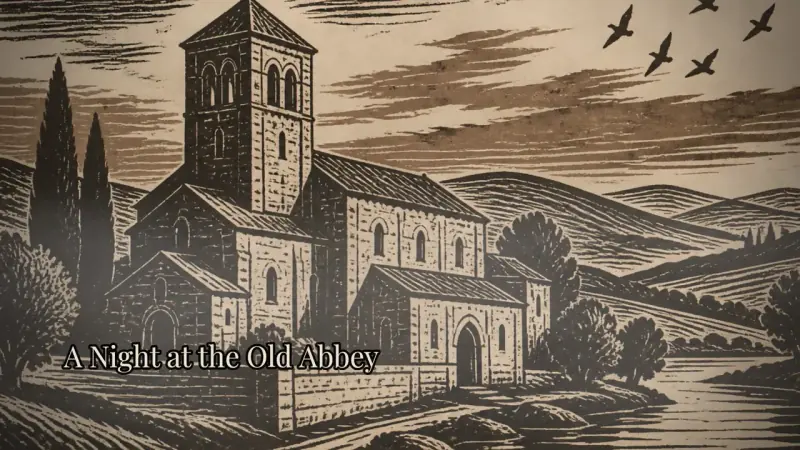
Long Ago is for history to fall asleep to. Each scene is a Linocut Print in black ink and earthy colors, read in a calm, low voice with long chapters.
A few settings worth knowing for sleep videos:
- Paste your script and keep the template's voice, or upload your own slow recording.
- You choose how often the picture changes, and Cut rhythm set to Calm cuts between framings inside a long scene without extra pictures.
- The Dissolve transition style puts a dissolve between every scene and uses no credits, and a Finish such as Soft night sets the look of the whole video.
- Snow, mist and rain overlays add slow movement at no credit cost. They show in exports on paid plans.
- Chapter cards come with every plan. Music, from the library of 80 tracks or chosen automatically, is on paid plans.
For the general steps of any long video, see how to make a long-form AI video. For other formats that work without a face, see the list of faceless YouTube channel ideas and the faceless YouTube video generator page.
Questions
How many words is a 1-hour sleep story?
About 6,000 to 7,000, read at 100 to 120 words a minute. A 3-hour history sleep video needs around 20,000.
Can I use an AI voice for sleep stories?
Yes, and many sleep channels do. Pick a calm voice, slow it down and listen to several minutes before committing, because small quirks become noticeable over an hour.
Should sleep story videos have mid-roll ads?
That's your choice, but a loud ad halfway through can wake people up, and listeners say so in the comments. On videos of 8 minutes or more, YouTube lets you place mid-rolls by hand or turn them off.