Choose Animatic if…
- You want to read and edit the script before any video is made
- Your videos run long, from 30 minutes to 3 hours
- You want one saved look across every episode
- You want to direct each scene before anything is exported
InVideo AI writes, voices and assembles a video from a prompt. Animatic starts from your voiceover, your script or an idea. When it writes the script, you edit and approve it before any narration or visuals are made. Every line gets its own visual, up to 3 hours in one project.
Updated . InVideo AI details checked against its own website in September 2026.
Built for narrated long-form video.
They suit different kinds of video.
What you get out of each, how you work with it, and how much of each scene you control.
| Feature | Animatic | InVideo AI |
|---|---|---|
| Where the visuals come from | An image generated for every scene of your narration, in your Visual Style, with camera motion and transitions | Stock media, plus clips from third-party generative video models |
| What you start from | Your recorded voiceover, a script read by one of 6 AI voices, or an idea drafted into a script you edit first | A prompt or a script; it can write the script and generate the voiceover for you |
| Changing a single scene | Rewrite what it shows and regenerate it alone; earlier versions are kept | Regenerate or replace it in the editor |
| One look across a series | Saved Visual Styles, Continuity for recurring subjects, and Brand Kits | Character and location memory carried across shots |
| Longest video | 3 hours on Ultra, 2 hours on Pro, 1 hour on Creator, 10 minutes on Free, each as one project and one export | No per-video limit published; generative shots run up to about 15 seconds each and are stitched together |
| How usage is counted | Credits for images, AI narration and script drafts; uploading your own voiceover uses none | Credits, with generative video priced per second |
| Try it free | Free plan: projects up to 10 minutes and 100 credits, no card | Free plan with a watermark |
InVideo AI details from its pricing page, help center and clip-length FAQ, checked September 2026.
The differences that matter for long, narrated video.
Animatic plans a full 3-hour narration as one scene plan and exports it as one video. There's nothing to stitch together afterward.
Start with an Idea gives you an editable script and an itemized credit estimate. Narration and visuals are only made after you approve it.
Each scene's image is generated from what that line says, so the picture follows the argument.
Upload your own narration, or pick one of 6 AI voices and play a free sample first. Scenes are timed to the read either way.
A Visual Style keeps your prompt, references and aspect ratio, so episode 40 looks like episode 1.
Rewrite and regenerate the scene that misses. Everything else stays as it was, and earlier versions are kept.
Generative video models make a few seconds at a time. At an hour or more, that turns into hundreds of clips to line up and keep consistent.
Animatic treats the whole video as one project from the start: the narration is planned as scenes, the pictures keep generating after you close the browser, and it all exports as one video, up to 1 hour on Creator, 2 hours on Pro and 3 hours on Ultra.
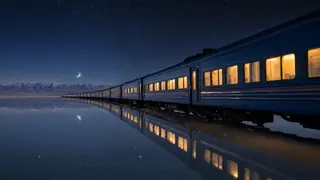 Cold open
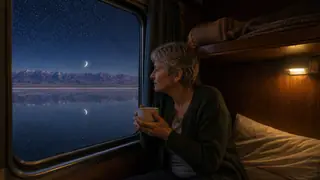 Part 1
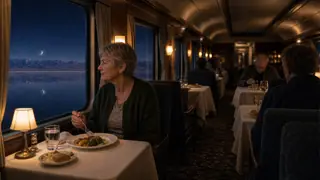 Part 2
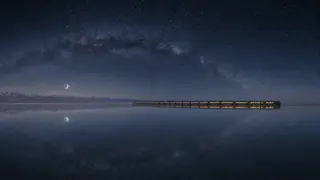 Part 3
 Close
CloseYouTube's Partner Program policies target mass-produced, repetitive uploads.
With Animatic, the structure comes from a script you've written or approved, and every scene is generated for the line it sits under. YouTube makes the monetization decision, and we can't guarantee it.
 1001:02Every night, something in the sky needed mending.Ready
 1101:14He worked until the last crack closed.Ready
 1201:25Then he carried it up to the roof.Regenerating
Your plan sets how long a project can be and how many credits you get each month.
$20per month, billed annually at $240
$49.99per month, billed annually at $590
$82.99per month, billed annually at $990
Or start for free with 100 credits and projects up to 10 minutes, no card required.
Full pricing: monthly or annual, what credits pay for, top-ups and billing
For narrated long-form video, yes. InVideo AI generates a whole video from a prompt. Animatic starts from your voiceover, your script or an idea, lets you edit the script before anything is narrated, and runs up to 3 hours in one project.
Animatic makes videos up to 3 hours long on Ultra, 2 hours on Pro, 1 hour on Creator and 10 minutes on Free, each as one project and one export. InVideo AI doesn't publish a single per-video limit; its generative shots are made a few seconds at a time and stitched together.
It can. Start with an Idea drafts an editable script from your idea; you edit it, choose a voice and approve it before narration is generated. Start with a Script narrates a script you've written with the AI voice you choose, and Start with Narration uses your own recording.
Neither can guarantee it. YouTube's inauthentic-content rules target mass-produced, repetitive videos. With Animatic, each video is built from a script you've written or approved, with a visual made for each scene. YouTube makes the final decision.
Both. Animatic generates a picture for every scene and moves it with the camera, and on any plan you can turn the scenes you choose into generated video with Animate scene. Starting every scene from a picture keeps long videos consistent and their credit cost predictable.
Yes. The free plan needs no card and gives you 100 credits and projects up to 10 minutes: enough to try the workflow, though a full 10-minute video usually needs more credits. Paid plans export at 1080p with no watermark.
Start free with 100 credits and see your scenes planned and the first images made before you pay.