From a script
Paste a script, choose an AI voice and get a picture for every scene.
Write your script in Hindi, Spanish, Portuguese, Turkish or German, and one of 62 AI voices reads it. Or upload your own recording and Animatic transcribes it. Every scene gets a picture, with subtitles in your language on paid plans.
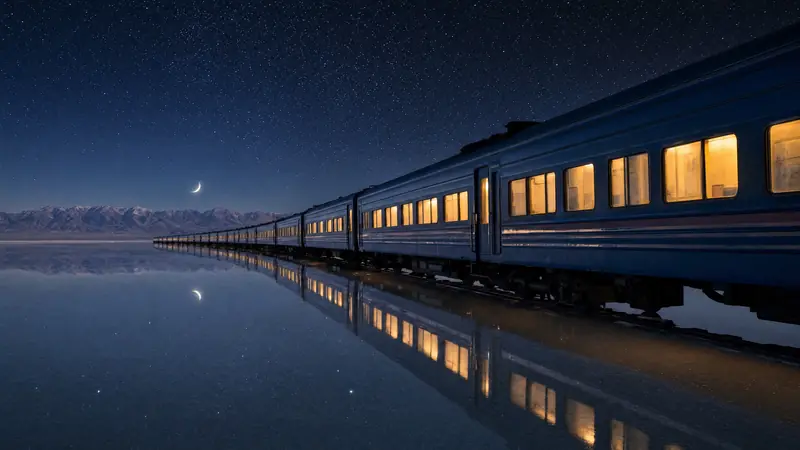 रात की रेलगाड़ी नमक की झील पार कर रही है।
Each language has its own voices. Play the free samples before you choose.
The steps are the same in every language.
Paste a script in any of the 15 languages, or upload a recording and Animatic detects its language.
Play the free samples for your language, then set the speed and delivery style.
Each scene gets a picture in your Visual Style. Paid plans add subtitles timed to the narration.
Yes. Hindi is one of the voice languages. Paste a Hindi script, choose a voice, and on paid plans add subtitles in Devanagari.
English has US, UK and Australian voices, Spanish has Latin American and Castilian, Arabic has Standard, Gulf and Egyptian, and Portuguese is Brazilian.
Yes. Animatic detects the language of an uploaded recording, transcribes it and times the scenes to it. Uploading uses no credits.
No. Narration costs about 3 credits per minute of English narration. Languages written in non-Latin scripts, such as Hindi, Arabic, Russian or Japanese, use more credits per minute. Studio shows the exact cost before it runs, and uploading your own recording in any language uses no credits.
Yes, on paid plans: Japanese, Chinese, Korean, Arabic, Cyrillic and Devanagari. They're burned into the export, and you can download them as an .srt file.
Start free with 100 credits and no card, and play any voice's sample before you use it.